Using reefide: project settings, user settings, and the Files panel
reefide is the Reef language IDE. It ships with reefc. This page covers three features you will use often: Project Settings, User Settings (Preferences), and the Files panel.
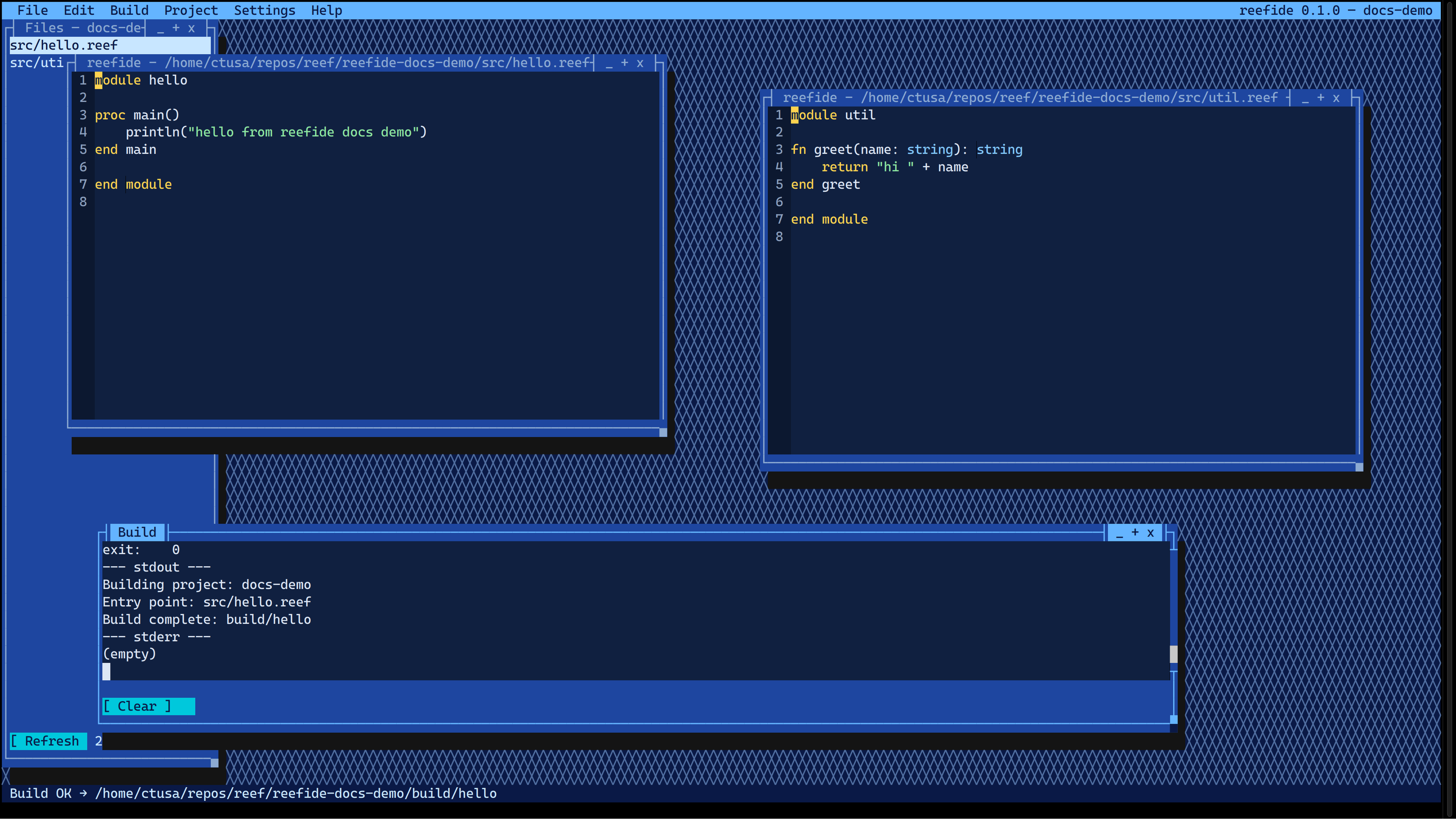
Open a project (brief)
With no command-line arguments, if the current directory contains ./reef.toml, reefide opens that project. Build runs through reefc build. Project truth lives in reef.toml ([package] and [build]). User preferences live in ~/.config/reefide/settings.toml. Session chrome is stored separately in ~/.config/reefide/session.toml and is not covered here.
A crashed build now shows signal N (and (core dumped) when reported) in the output pane and status line, instead of -1.
Project Settings
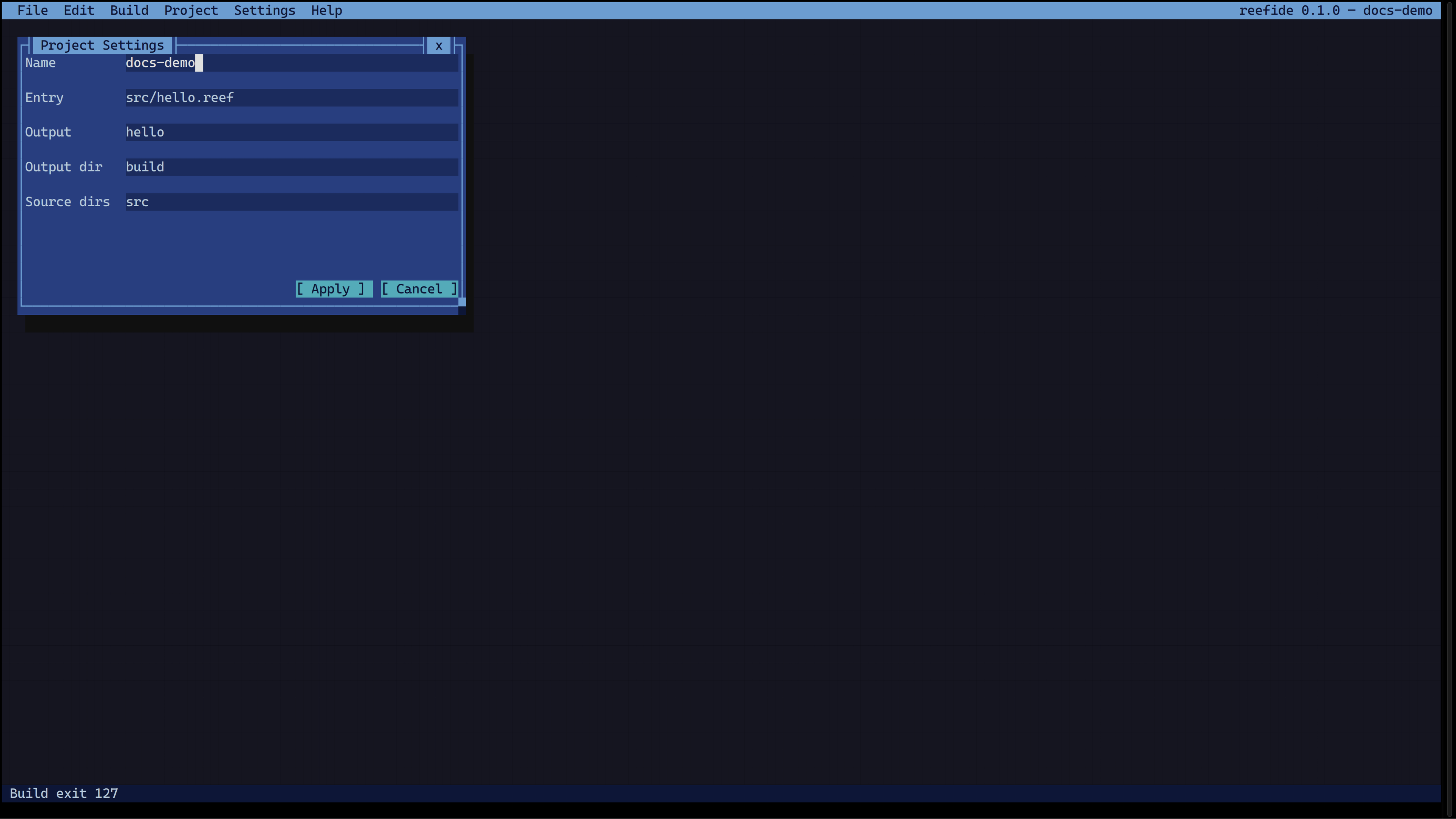
Use Project → Settings… to edit the fields that map to your project’s reef.toml:
- Name
- Entry
- Output
- Output dir
- Source dirs
Choose Apply to write those fields surgically into reef.toml. Unknown sections and comments are preserved. If you have unsaved changes and choose Cancel or close the dialog, reefide asks you to confirm discard.
User Settings (Preferences)
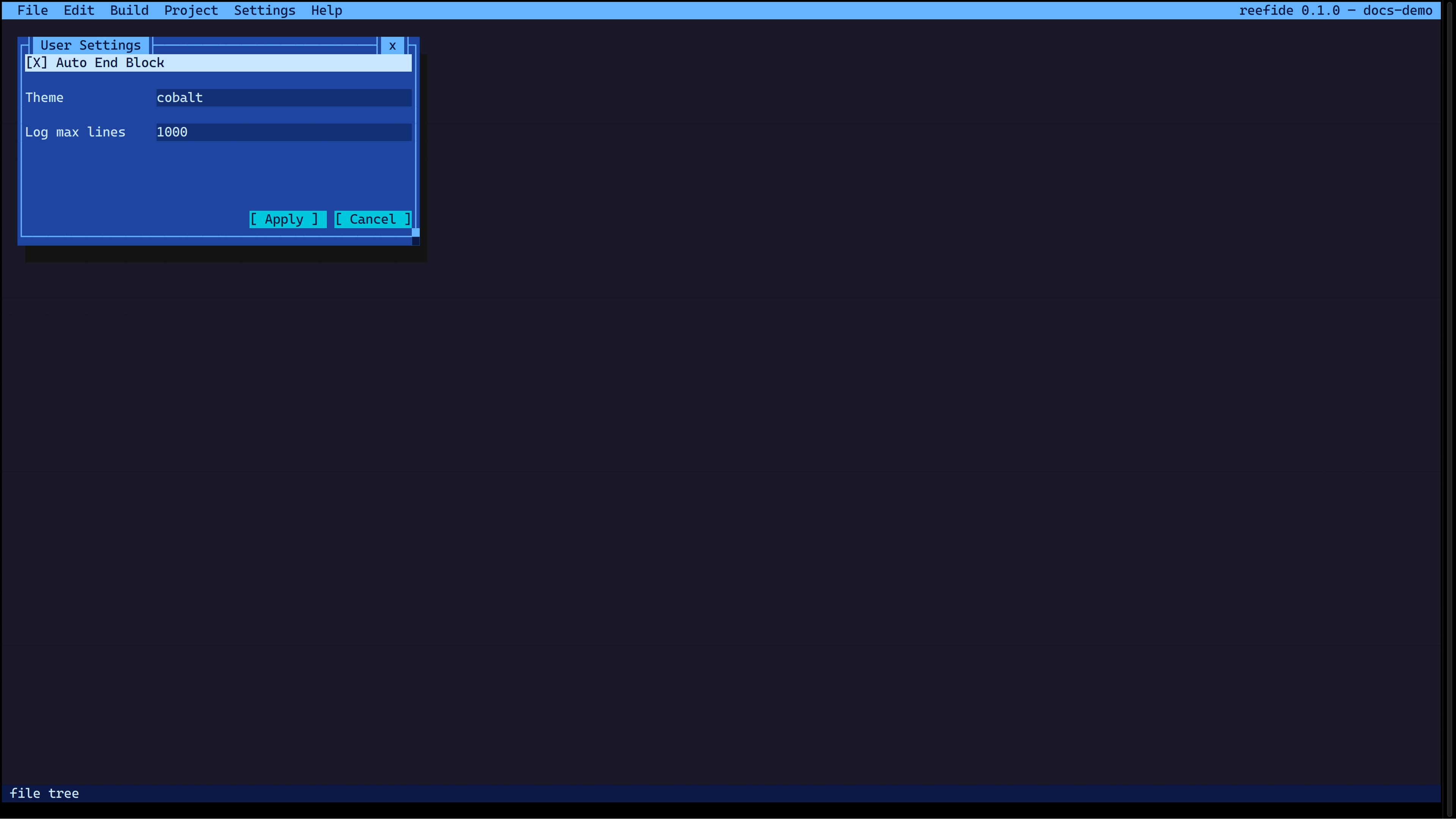
Use Settings → Preferences… to open the User Settings dialog, which edits ~/.config/reefide/settings.toml. The dialog includes at least:
- Auto End Block
- Theme
- Log max lines
Theme is a text field (for example cobalt), not a dropdown.
These preferences apply to you as a user across projects; they do not replace project truth in reef.toml.
Files panel
After you open a project, the Files panel lists .reef sources under build.source_dirs from your project config. Activate a row (Enter or double-click) to open it in the editor. Use Refresh to reload the list.
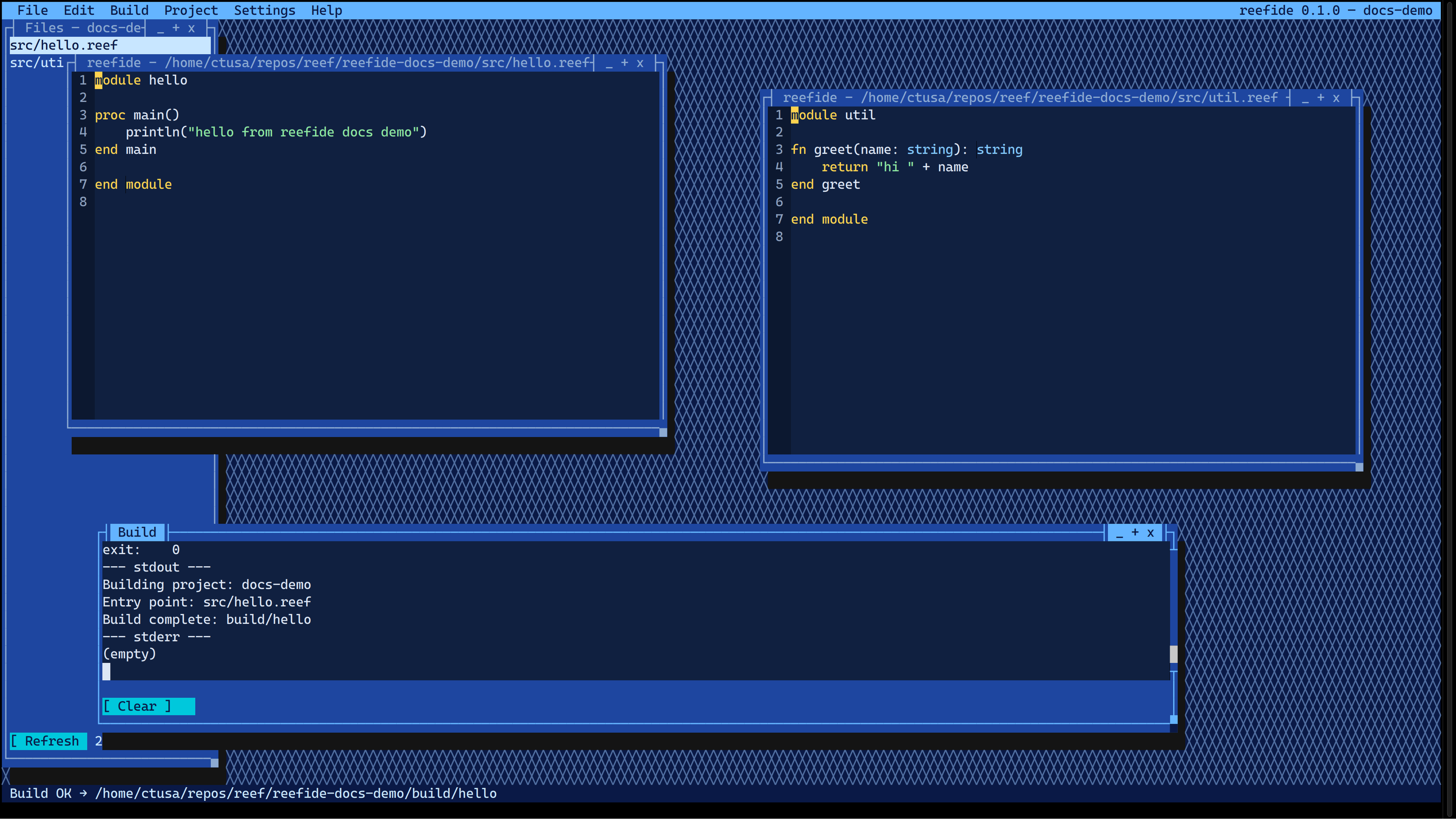
If the panel is hidden, use Project → File Tree to show it again.
This is a list-first view of matching sources, not a full tree widget. A real Tree widget is planned later in ReefVision; this how-to does not describe that.
Config layers (summary)
| Layer | Path / role |
|---|---|
| Project | reef.toml — [package] and [build]; Project Settings writes known fields surgically and keeps unknown sections/comments |
| User | ~/.config/reefide/settings.toml — Settings → Preferences… (User Settings: Auto End Block, Theme, Log max lines, and any other fields the dialog exposes) |
| Session | ~/.config/reefide/session.toml — session chrome; not the focus of this page |